
1. What is BRCGS?
BRCGS is a global certification programme covering food safety and quality standards.
It includes schemes such as:
- BRCGS Food Safety
- BRCGS Agents and Brokers
- Other BRCGS standards
BRCGS certifications are widely used to demonstrate compliance with internationally recognised food safety requirements.
2. What can you do with BRCGS?
By connecting BRCGS to Simvia, you can:
- Automatically retrieve BRCGS certification data
- Monitor certification status and validity
- Store expired certificates for historical tracking
- Reduce manual document collection
This ensures consistent and traceable certification data across your supply chain.
3. How to set up the BRCGS connection
Setting up BRCGS consists of two required parts:
Part 1 – Connect your BRCGS Directory account (one-time setup)
The BRCGS connection requires an active BRCGS Directory account.
If you do not have one, you can create a free account via the BRCGS Directory.
To connect in Simvia:
- Go to Account settings
- Open Connections
- Select BRCGS
- Click Connect
- Enter your BRCGS Directory login credentials (email and password)
- Confirm
This setup only needs to be completed once per account.
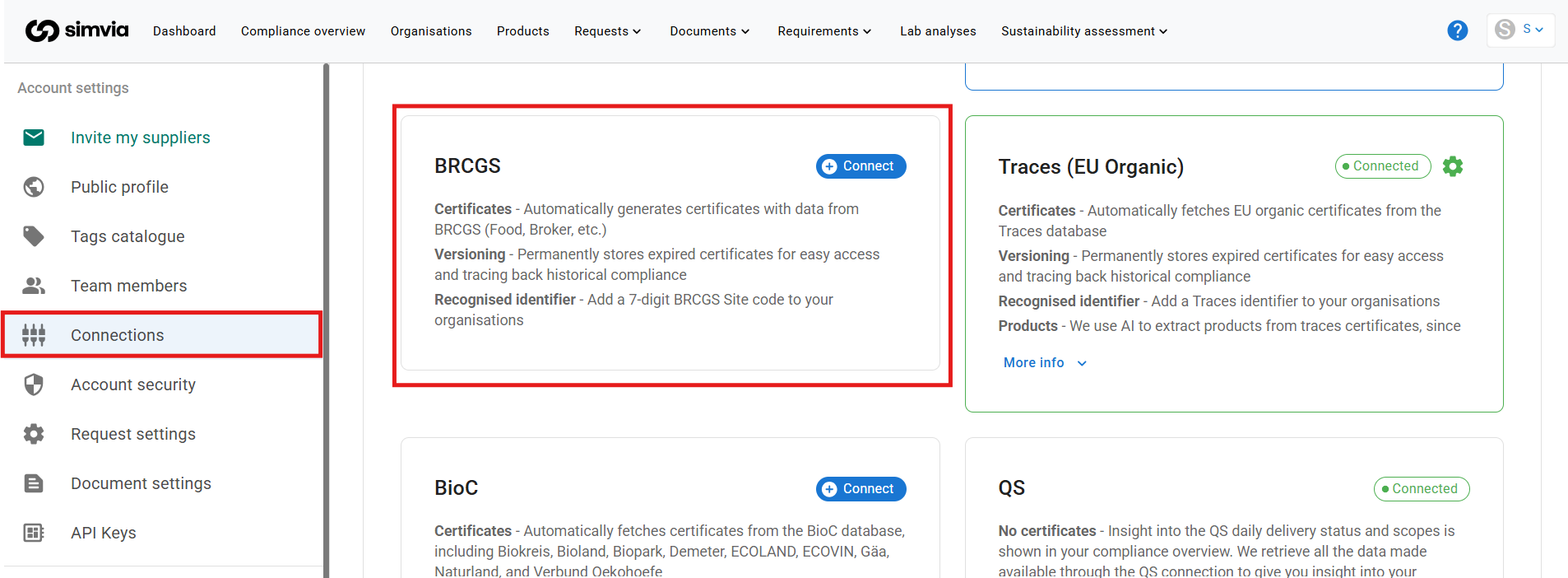
Part 2 – Ensure the organisation has a BRCGS Site Code
To retrieve certificate data, each organisation must have a valid:
7-digit BRCGS Site Code
To add it:
- Open the organisation in Simvia
- Go to Unique identifiers
- Enter the 7-digit BRCGS Site Code
- Save
Without a valid Site Code, no data can be retrieved.
Make sure to add the Site Code for:
- All existing organisations you want data for
- All newly created organisations (if applicable)
4. Where to find the identifier
The required identifier is the:
7-digit BRCGS Site Code
You can find this:
- On the supplier’s BRCGS certificate
- In the BRCGS Directory
- Directly from the certified organisation
5. How data is retrieved
After:
- The BRCGS Directory account is connected, and
- A valid 7-digit Site Code is added to an organisation
Simvia will automatically retrieve certification data.
The BRCGS sync runs daily at 00:00, meaning updated certification statuses and validity periods are refreshed automatically.
No manual request is required.
6. What data is retrieved
When available, Simvia retrieves:
- Certification status
- Certificate validity dates
- Historical certificate versions
Expired certificates remain stored for versioning and compliance tracking.
7. How to access and use the data
Retrieved BRCGS data can be found in:
- Documents → Supplier documents (as database extracts)
- The organisation’s document overview
You can use this data to:
- Verify certification validity
- Track expiration dates
- Monitor compliance status
- Support audit preparation
8. Important to know
- Both steps are required:
- Active BRCGS Directory connection
- Valid 7-digit Site Code per organisation
- Data is refreshed daily at 00:00
- You must add the Site Code for every organisation you want data for
- For new organisations, remember to add the Site Code
- Only status of certificates available in the BRCGS Directory can be retrieved
- If no data is returned, verify:
- The Site Code
- The connected BRCGS account credentials
The BRCGS connection helps automate certificate monitoring and reduces manual follow-up with suppliers.