
How Setting Up Metadata Requirements Works
Metadata requirements allow you to define more specific compliance criteria for the documents you request from suppliers. Instead of only requesting a document type, you can require certain values within that document.
This helps you align document collection with internal policies and audit standards.
For example, you can:
- Accept only SIZA certificates with a Platinum rating
- Require SMETA 4-pillar with no non-conformities
- Accept only BRCGS Grade A or higher
Once configured, the system evaluates supplier documents against these criteria and updates compliance automatically.
Step 1: Create a Requirement Rule
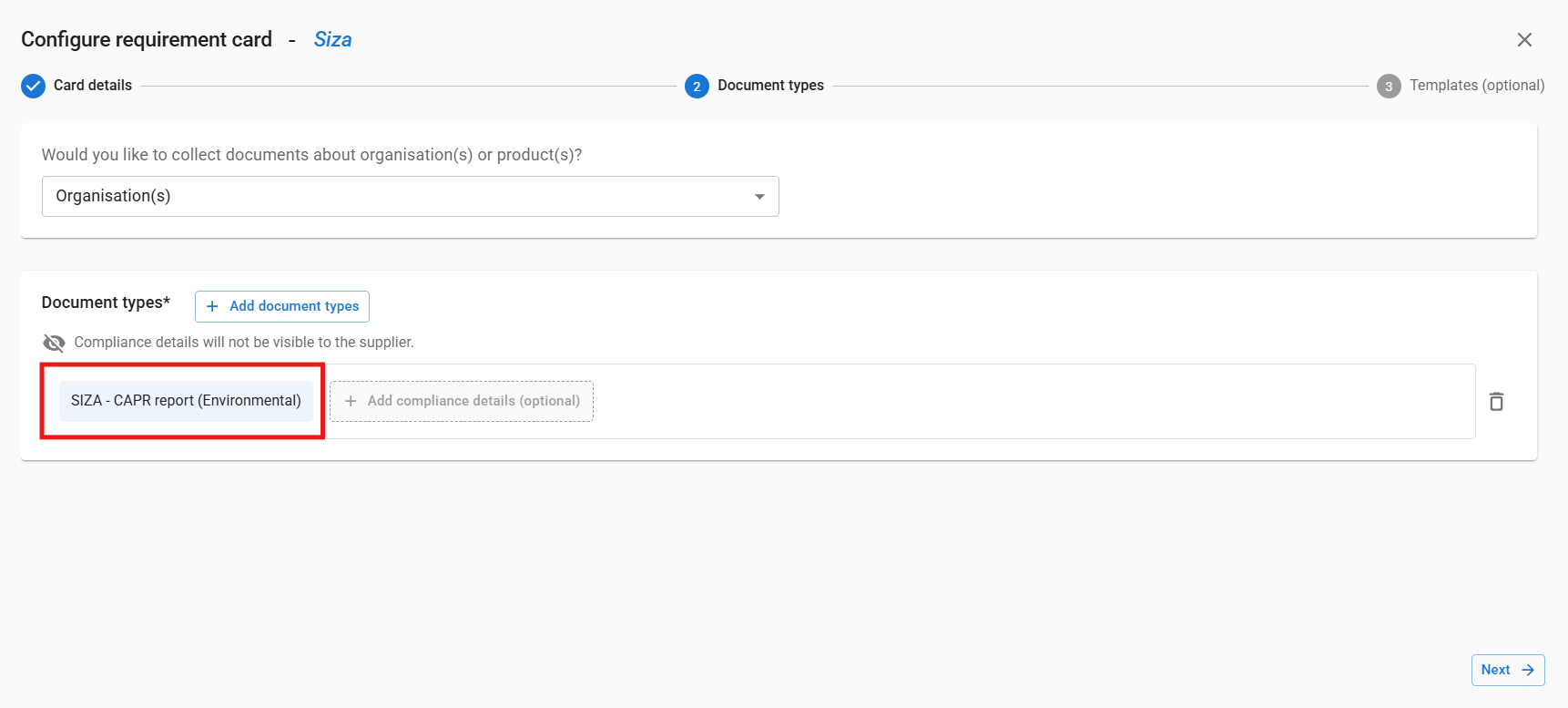
Go to Requirement rules and create a new rule. Add a requirement card and select the document type you want to request.
Step 2: Define Metadata Criteria
To make the requirement more specific:
- Add compliance details to the requirement card
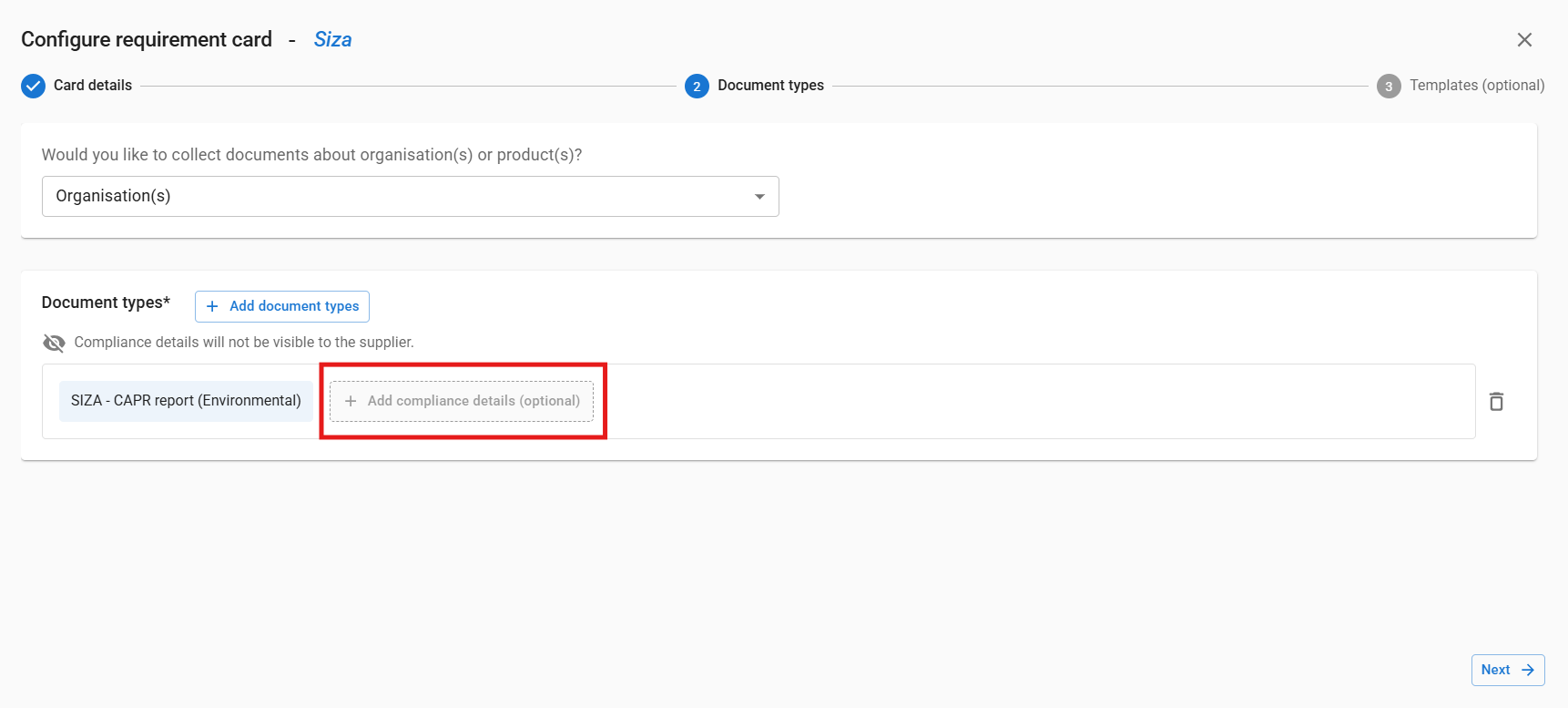
- Select a metadata field, such as audit rating, grade, level, or audit type
- Choose whether the value should be included or excluded
- Select the required value
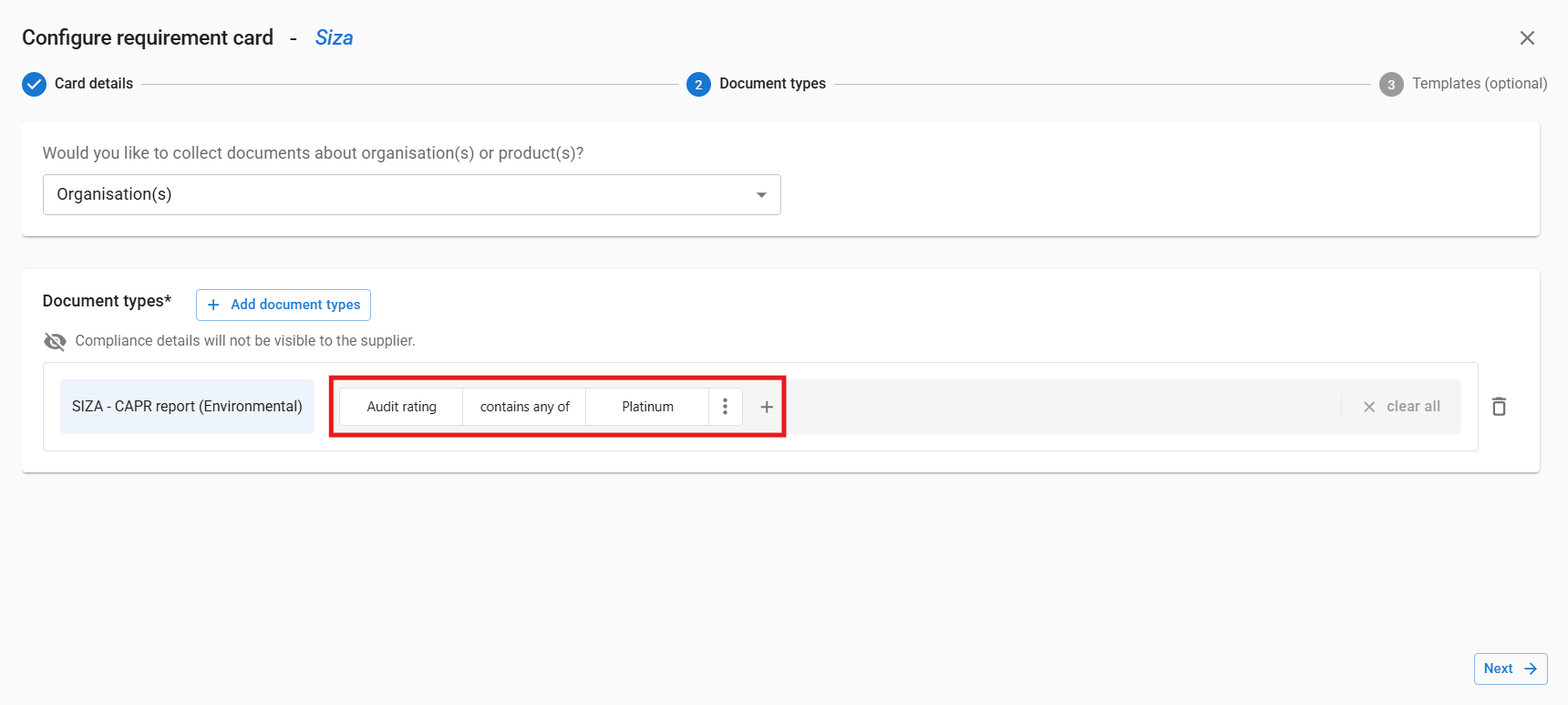
The document must match both the selected document type and the defined metadata criteria to be considered compliant.
Step 3: Set Scope and Target Group
Define where the rule applies:
- Choose whether it applies at organisation or product level
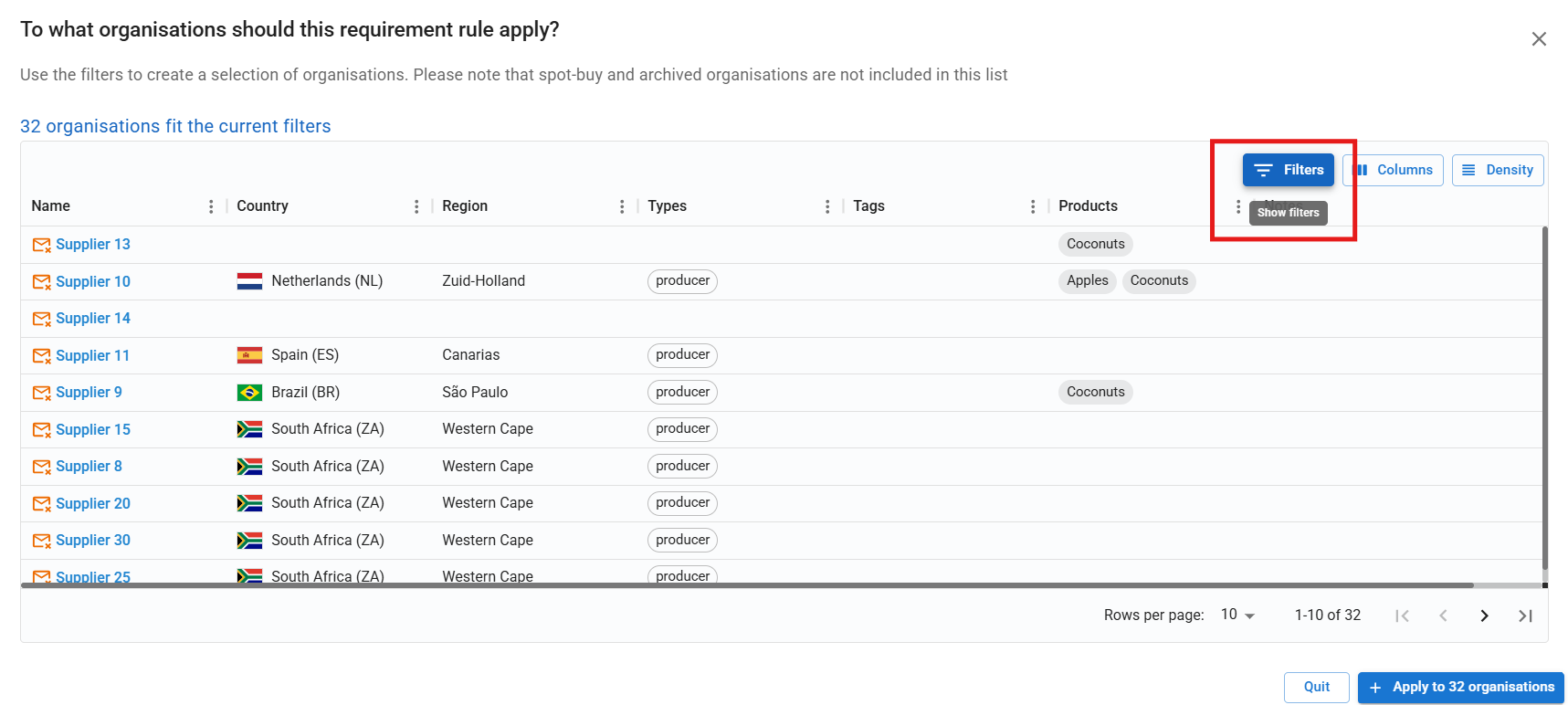
- Select the relevant organisations using filters such as tags, country, or organisation type
Step 4: Activate the Rule
Activate the target group to start evaluating documents.

Once active:
- Documents are automatically checked against your criteria
- Compliance status updates automatically
What This Means in Practice
- Suppliers upload documents as usual
- The system extracts and evaluates metadata during review
- You get a clear view of which suppliers meet your requirements
This allows you to standardise compliance and ensure consistent document quality across your supply base.
Supported Documents
Metadata criteria are available for selected document types, including:
- GRASP
- FSSC 22000
- SMETA
- SIZA
- Rainforest Alliance
- BRCGS Food
- IFS Food
- QS Production
Each document type includes specific metadata fields such as grade, audit rating, version, audit type, and non-conformity status.
| Document Type | Field name | Field Value Options |
|
Certificate - GRASP Database extract - GRASP |
overall assessment result |
|
| Inspection report - GRASP | overall assessment result |
|
| Certificate - FSSC 22000 | multisite | |
| Inspection Report CAPR report | Audit type |
|
| Inspection Report CAPR report | Audit date type |
|
| Inspection Report CAPR report | Audit Pillars |
|
| Inspection Report CAPR report | Non-conformities present |
|
| SIZA - Certificate (social) | Audit rating |
|
| SIZA - Certificate (environmental) | Audit rating | |
| SIZA - CAPR report (Environmental) | Audit rating | |
| SIZA - CAPR report (Social) | Audit rating | |
| Certificate - Rainforest Alliance | Certificate type |
|
| Certificate - Rainforest Alliance | Certification option | |
| Certificate - BRCGS Food | Grade |
|
| Certificate - BRCGS Food | Product Categories |
|
| Certificate - IFS Food | Product Scope |
|
| Certificate - IFS Food | Level |
|
| Certificate - IFS Food | Version |
|
| Certificate - IFS Food | Assessment type |
|
| Inspection report - SMETA | Audit date type | |
| Inspection report - SMETA | Audit pillars | |
| CAPR report - SMETA | Audit date type | |
| CAPR report - SMETA | Audit pillars | |
| Certificate - QS Production | Regional fenster | |
| Certificate - QS Production | QS Production Scope | |
| Certificate - QS Production | FIAS |