
Adding a single organisation is the most straightforward way to create a new supplier in your account. It is best suited when:
- You need to add only a few suppliers (approximately 15-20 or fewer)
- You are adding new suppliers after your account has already been set up
- You want to quickly add one specific organisation
For larger imports, bulk upload is recommended.
How to add a single organisation
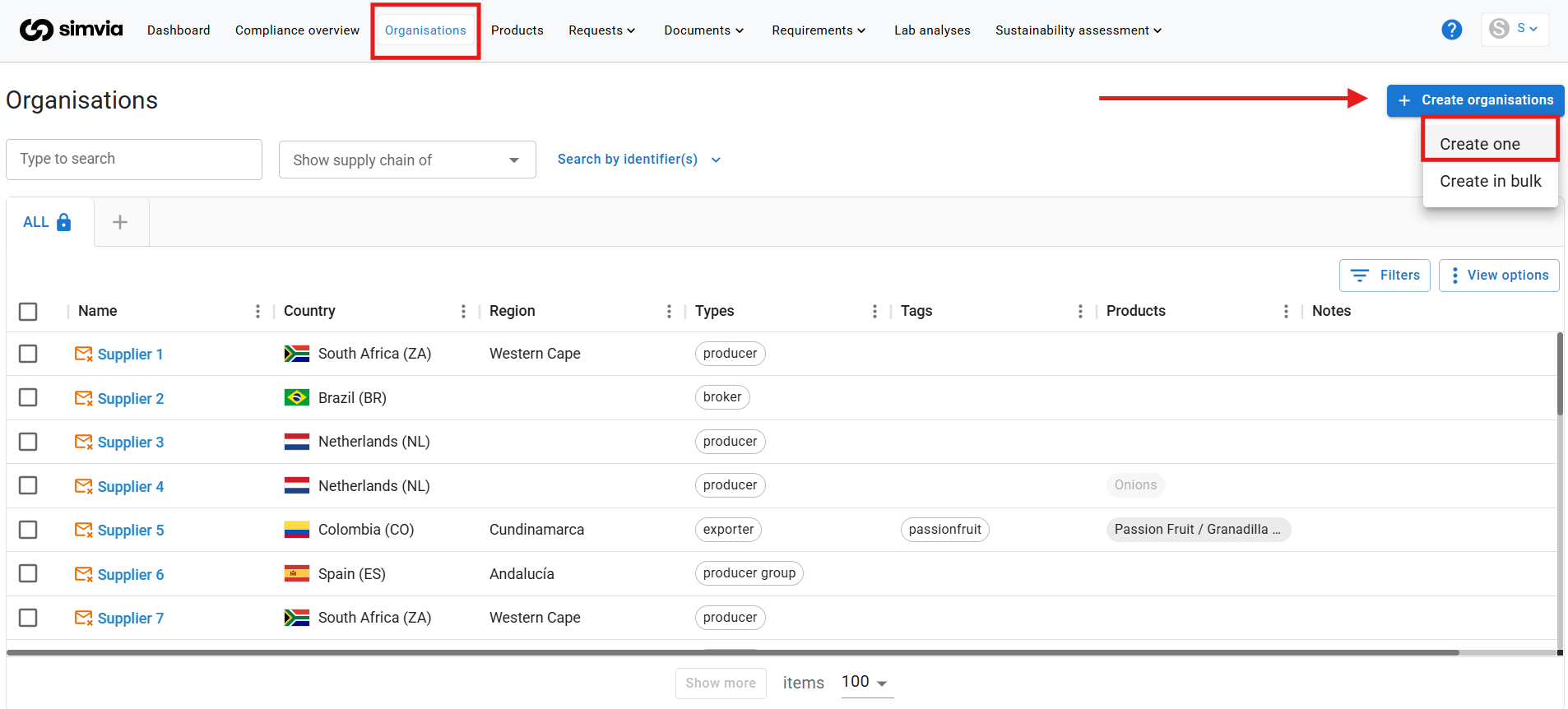
- Go to Organisations
- Click + New organisation
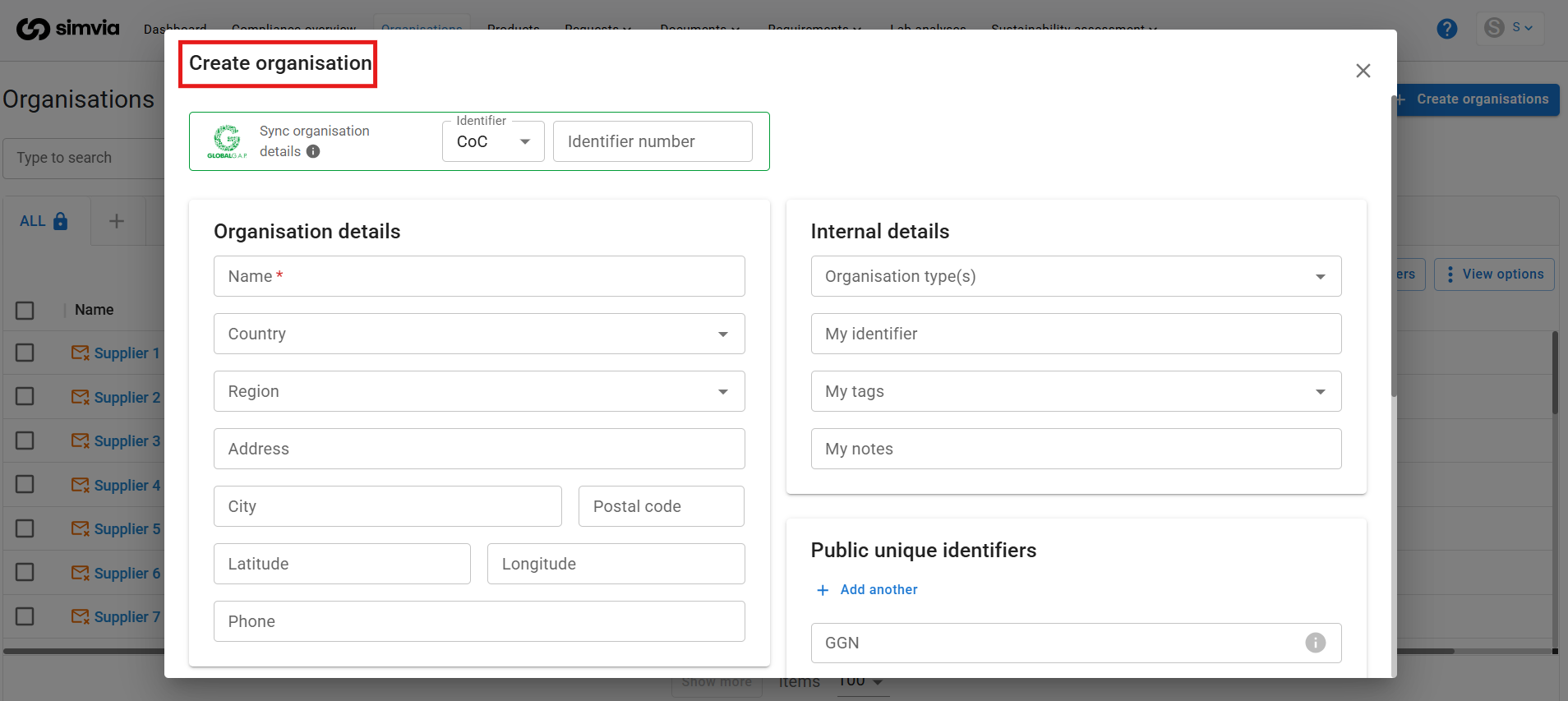
- Fill in the required details
- Click Save
A pop-up window will appear where you can enter the organisation’s information.
Important fields to complete
Global G.A.P. Number (GGN)
If available, it is highly recommended to enter the GGN.
When a GGN is added:
- Organisation details may be automatically retrieved
- Related certificates can be fetched automatically
- Data accuracy improves
This reduces manual entry and improves compliance tracking.
Contact details (critical for direct suppliers)
For direct suppliers, it is essential to enter correct contact information, especially a valid email address.
If contact details are missing or incorrect:
- Document requests cannot be sent
- Other users connected to this organisation may see incorrect information
- Compliance processes may be delayed
Direct suppliers are organisations you work with directly and from whom you request documents.
Things to consider
While single upload is simple, it has limitations:
1. Time-consuming for large lists
You can only add one organisation at a time. For larger supplier networks, bulk import is significantly faster.
2. Supply chain relationships must be added separately
If the organisation has sub-suppliers, you will need to manually create the supplier relationships afterward to build your supply chain structure.
For adding multiple organisations or setting up supplier hierarchies, consider using the bulk import functionality instead.
Best practice
- Use single upload for individual additions or small updates.
- Always include identifiers such as GGN where possible.
- Double-check contact email addresses before saving.
- Set up supply chain relationships immediately after adding the organisation if needed.
Adding organisations accurately from the start ensures smoother document collection and compliance monitoring later on.