
The Manual Request feature allows you to send customised document requests to one or multiple suppliers outside of your automatic requirement rules.
You can create a manual request from the Requests page by clicking the Request button.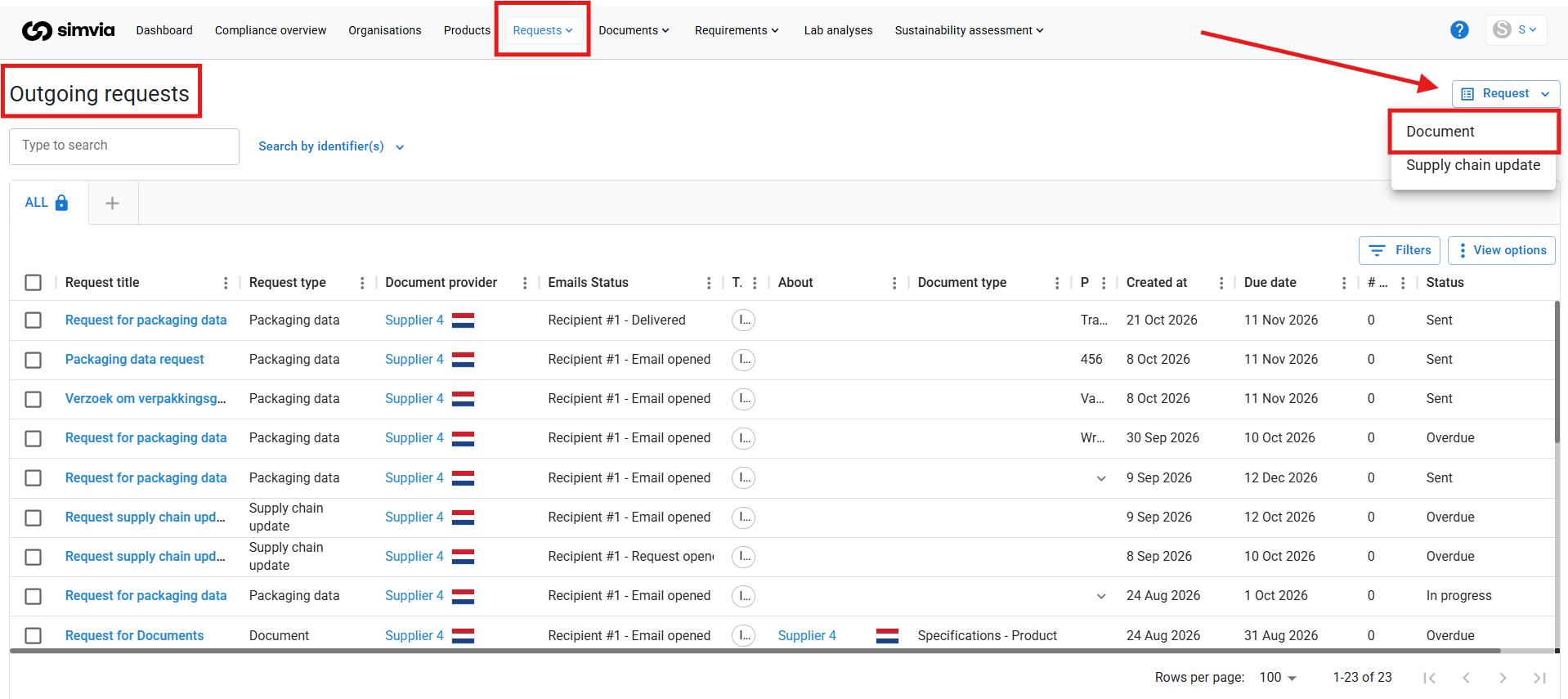
How to create a manual request
Creating a manual request consists of six simple steps:
Step 1: Setup
Indicate whether:
- This is a Spot buy request
- You are requesting documents from an existing organisation in your account
- You are requesting documents from a new organisation
Choose the option that fits your situation.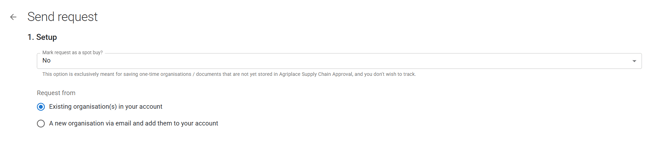
Step 2: Request details
Here you define:
-
The organisation (if already in your account)
or
-
The email address of the recipient
You must also fill in:
- Request title
- Due date
Make the title clear so the supplier understands what the request is about.
Step 3: Sub-supplier intake (optional)
You can choose to include a sub-supplier intake.
If enabled, your supplier will be asked to share their sub-suppliers. This helps you:
- Keep your supply chain up to date
- Gain better visibility into lower-tier suppliers

Step 4: Documents to request
Select the documents you want to request.
This works similarly to setting up requirement rules:
- Choose the document type
- Define whether it is mandatory or optional
- Add conditions if needed

Step 5: Attach read-only agreements or guidelines (optional)
You can attach supporting documents to the request, such as:
- Supplier agreements
- Guidelines
- Templates
These attachments are read-only and provide context or instructions to your supplier.
Step 6: Message to the supplier
Add a message that will appear at the top of the request.
Use this space to:
- Provide context
- Explain deadlines
- Add specific instructions

When to use manual requests
Manual requests are useful when:
- You need documents outside your standard requirement rules
- You are onboarding a new supplier
- You need a one-time document
- You are managing a spot buy
Manual requests give you flexibility while keeping everything tracked within the platform.