
The Connections tab allows you to connect your account to external databases and laboratory partners. These integrations automatically retrieve certification data, compliance information, and laboratory results for organisations in your supply chain.
Using connections reduces manual uploads and helps keep certification data up to date.
You can access this section from Account settings → Connections.
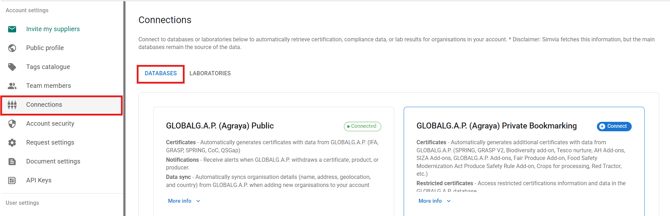
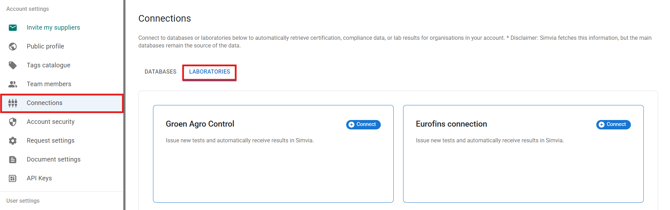
The page contains two main sections:
-
Databases
-
Laboratories
Databases
Database connections automatically retrieve certification and compliance data based on recognised identifiers added to your organisations.
Available database connections include:
-
GLOBALG.A.P. (Public and Private Bookmarking)
-
BRCGS
-
FSSC 22000
-
QS
-
PlanetProof
-
BioC
-
TRACES (EU Organic)
When connected, the system can:
-
Retrieve certification data automatically
-
Generate database extract documents
-
Sync organisation details
-
Monitor certification status
To activate a database connection:
-
Click Connect next to the database
-
Enter the required credentials, if applicable
-
Ensure the correct identifier is added to your organisations
Some databases require recognised identifiers such as GGN, COID, QS ID, or BRC Site Code.
For more details, see the Database connections overview article.
Laboratories
Laboratory connections allow lab analyses to be imported automatically from partnered laboratories.
When connected, you can:
-
Receive laboratory reports automatically
-
Review analyses in the Lab analyses module
-
Reduce manual uploads
To activate a laboratory connection:
-
Click Connect
-
Enter the required credentials
-
Follow any additional activation steps provided by the laboratory
Connection status
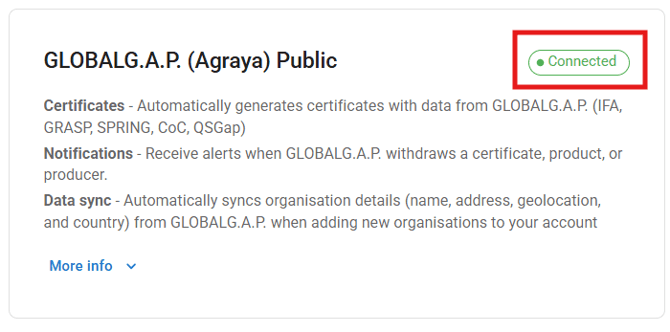
Each connection displays its current status:
-
Connected – the integration is active
-
Connect – the integration is available but not yet activated
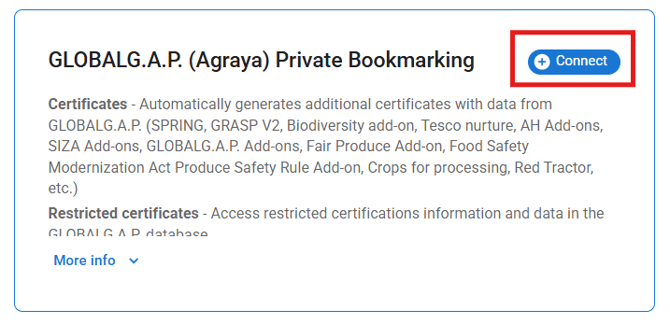
Connections can be activated or managed at any time.
Important notes
-
Organisations must contain the correct identifiers for database retrieval to work
-
Some integrations require external account credentials
-
The external database remains the official source of certification data
Regularly reviewing your connections helps ensure certification and compliance data stay synchronised.