
This article explains how to take action within the Organisations page, including creating supply chains, adding organisations, assigning products, and managing statuses.
Creating a supply chain
To build or edit your supply chain:
- Open an organisation
- Go to the Supply Chain tab
- Add sub-suppliers or link existing organisations
Once linked, the supply chain view will reflect these relationships.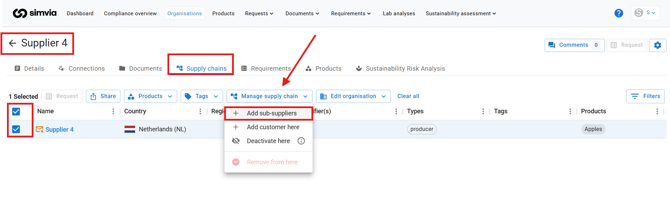
Adding a new organisation
Add a single organisation
- Click New organisation
- Enter organisation details
- Save
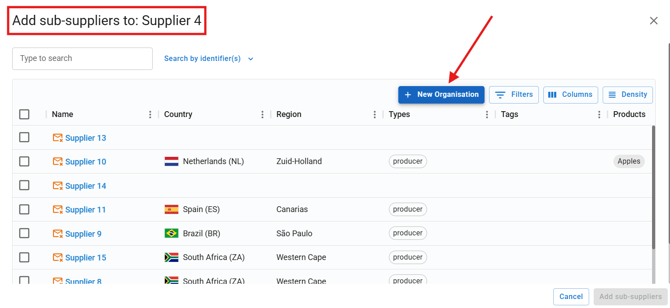
Including identifiers such as GGN, QS ID, BRCGS Site Code, PlanetProof ID, or FSSC COID enables automatic database linking.
Adding products to an organisation
To assign products:
- Open the organisation
- Go to the Products tab
- Add the products supplied
- Define seasons if applicable
Products can be linked to specific supply chains to support product-specific requirements and requests.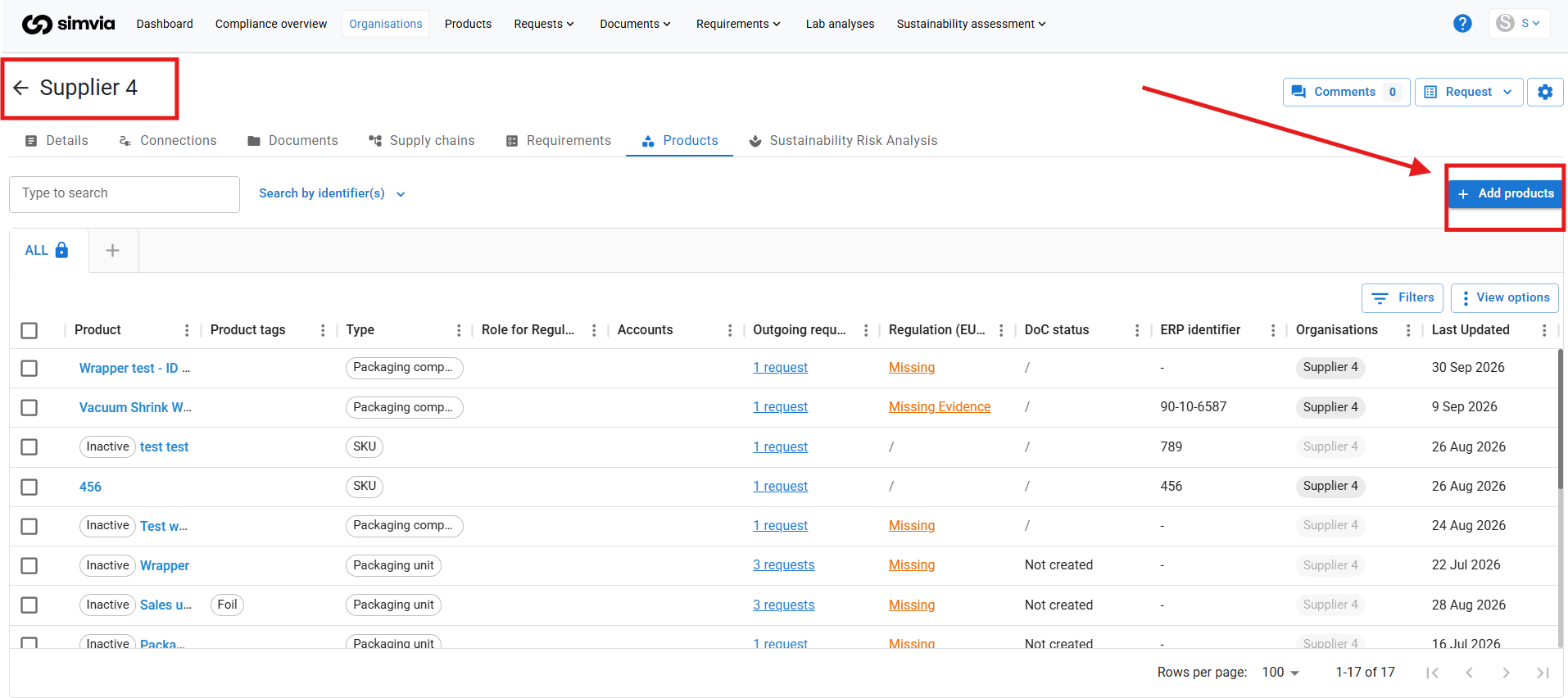
Managing organisation status
You can manage organisations using the following actions.
Deactivate
- Organisation does not receive requests
- Hidden from overview unless filtered
- Historical data remains available
Deactivating is recommended instead of deletion.
Block
- Requirements are suspended
- Organisation remains visible
Spot buy
- Used for one-time suppliers
- Does not receive requests
- Hidden unless filtered
Delete
Permanently removes:
- Organisation
- Linked documents
- Requirements
- Related data
Deletion should only be used for duplicates or test organisations.
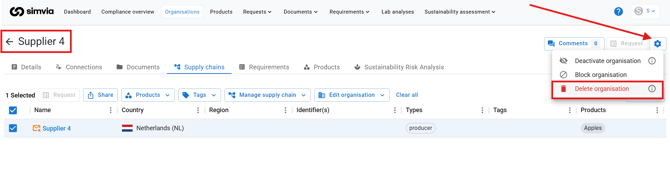
Please note: when deleting an organisation, all associated data will be permanently removed, including:
- Uploaded documents
- Database extracts
- Requirement history
- Linked supply chain information
- Any saved organisation details
This action cannot be undone. If you are unsure, consider reviewing or archiving the organisation instead of deleting it.
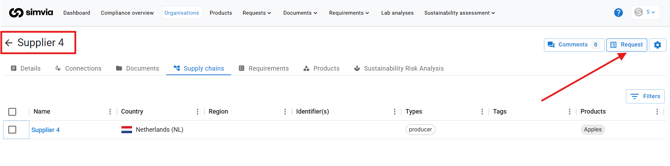
Sending manual requests
You can select one or multiple organisations and send manual document requests directly.
Managing tags
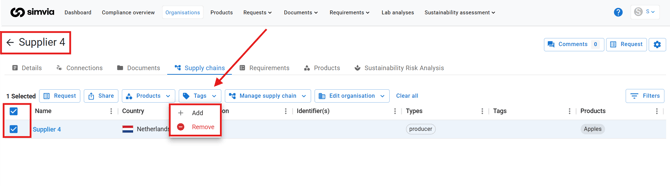
Tags help you organise suppliers.
You can:
- Add or remove tags from selected organisations
- Use tags for filtering and reporting
- Clean up tags via the Tags catalogue
Best practices for keeping your supply chain clean
- Add identifiers whenever available
- Archive instead of deleting
- Review supply chain links regularly
- Use tags consistently
- Use custom views for monitoring