
Tags help you organise, filter, and report on information across your account. A clean and consistent tag structure makes searching easier and ensures reliable overviews.
The Tags catalogue allows you to manage all tags in one central place, without editing organisations, products or documents individually.
What is the Tags catalogue?
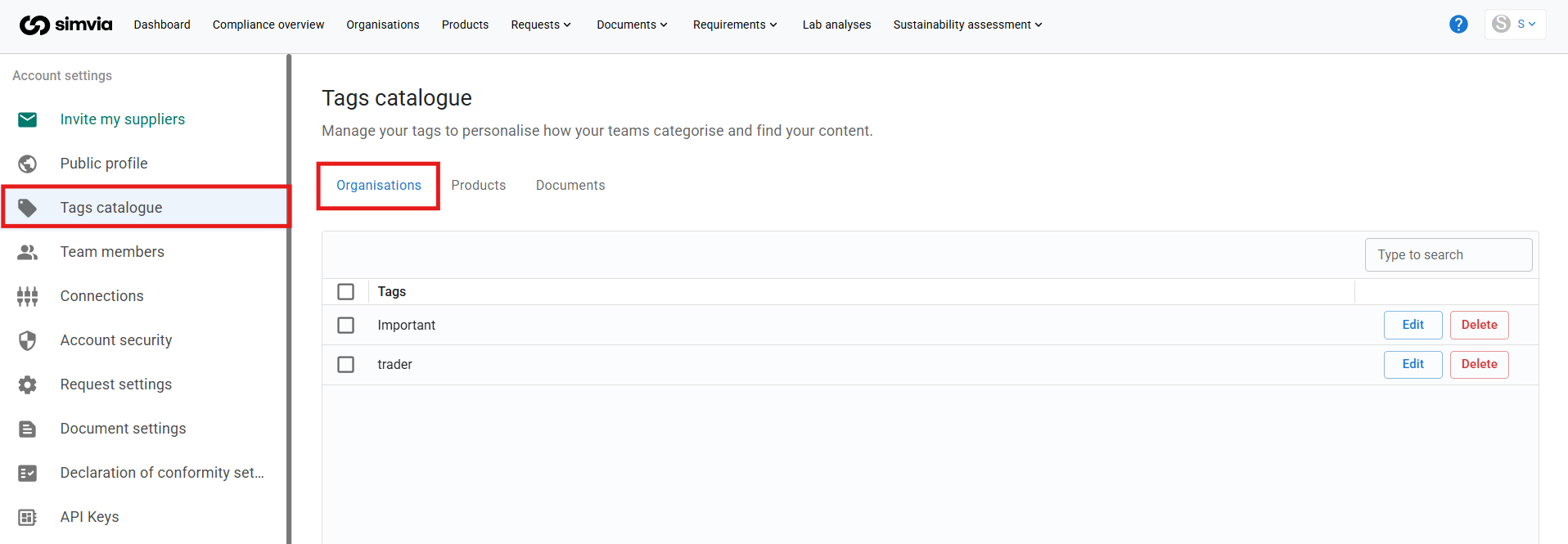
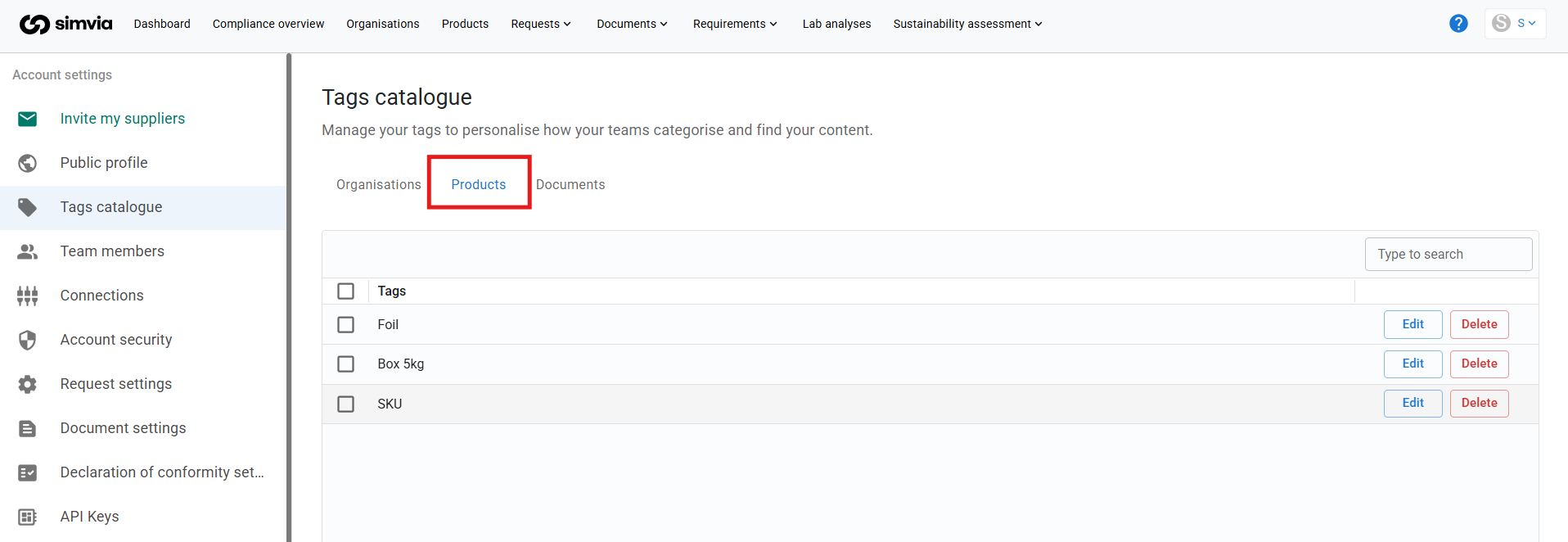
The Tags catalogue shows a complete list of all tags used in your account, grouped in three tabs:
- Organisations: tags used on your suppliers and other organisations
- Products: tags used on your products
- Documents: tags used on your documents
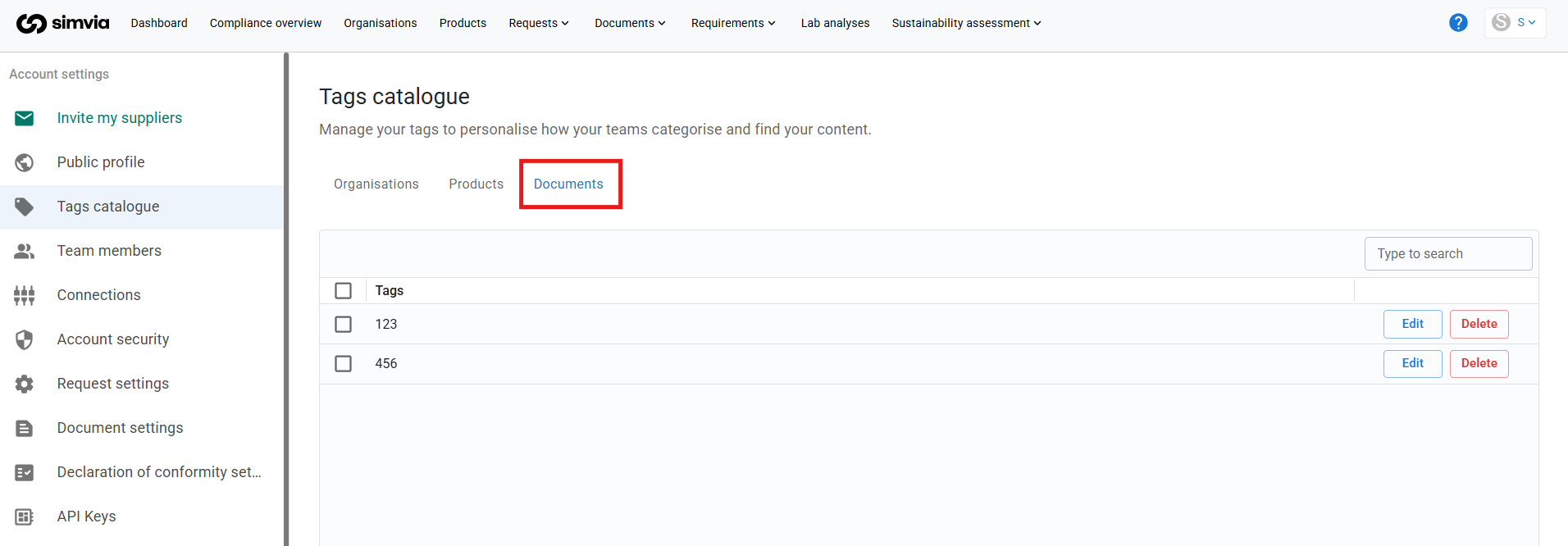
Each tab manages its own set of tags. A tag on the Organisations tab is separate from a tag with the same name on the Products or Documents tab.
From each tab, you can:
- Review all existing tags
- Search for a specific tag
- Rename tags
- Merge duplicate or incorrect tags
- Delete tags you no longer need
This helps prevent clutter caused by spelling differences or inconsistent naming.
Opening the Tags catalogue
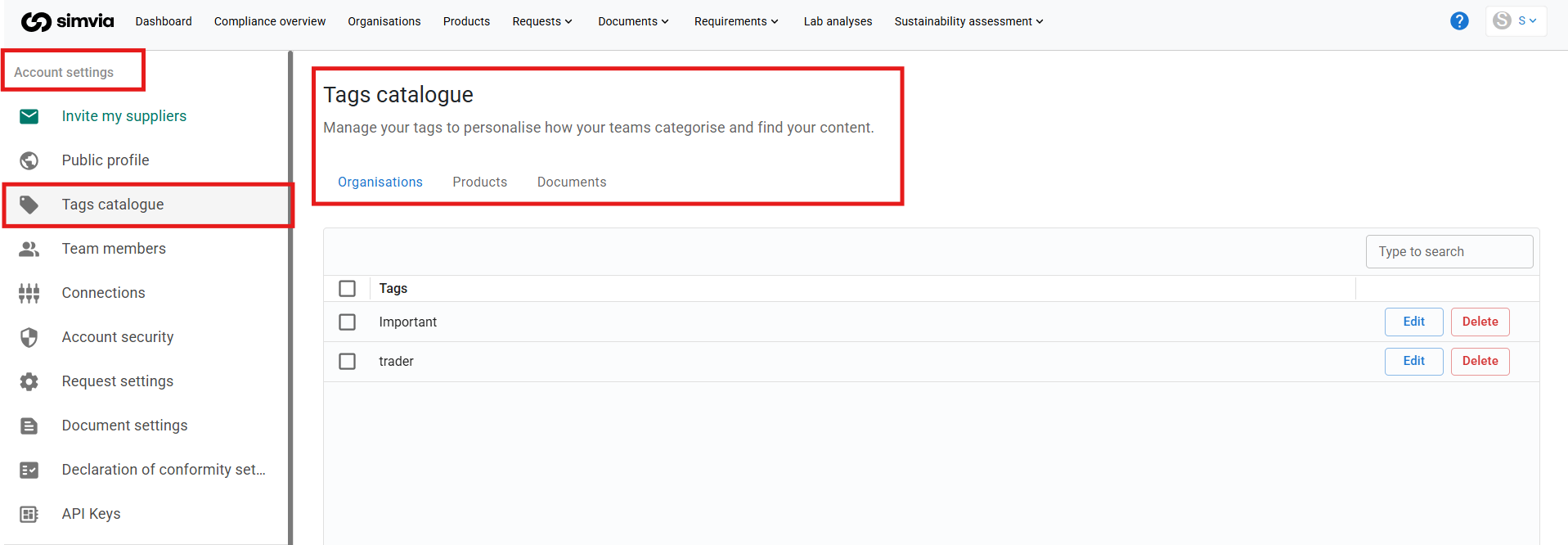
You can access the Tags catalogue in two ways.
From Account settings
- Go to Account settings
- Open Tags catalogue
From the profile menu
- Click your profile in the top-right corner
- Select Tags catalogue
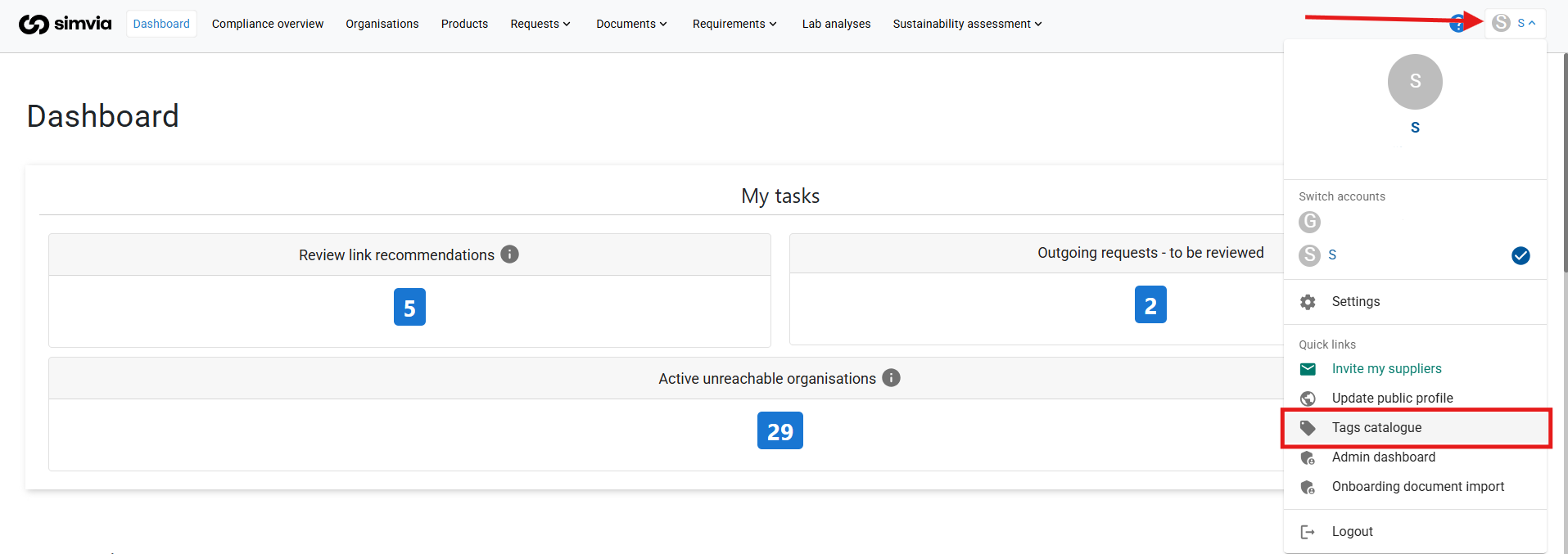
The Organisations tab opens by default. Click Products or Documents to see the tags used there.
Finding a tag
- Open the tab where the tag is used
- Type the tag name in the Type to search field
The list updates to show the matching tags.
Editing a tag name
You can rename a tag if the name needs to be corrected or updated.
To edit a tag:
- Open the tab where the tag is used
- Click Edit next to the tag
- Enter the new tag name
- Click Save
The updated name is applied everywhere the tag is used on that tab, for example on all organisations with that tag.
Merging duplicate or incorrect tags
Duplicate tags often exist because of small spelling differences, for example Aple and Apple. Merging them keeps your data clean.
To merge tags:
- Open the tab where both tags are used
- Click Edit on the tag with the incorrect name
- Change the name to exactly match the correct tag
- Click Save
If the system detects that the tag already exists, a warning is shown. This is expected.
Confirm the action by selecting Replace tags. The system merges both tags and automatically updates all related organisations, products or documents.
Note: You can only merge tags within the same tab. A product tag can’t be merged with an organisation tag or a document tag.
Deleting a tag
To delete a tag:
- Open the tab where the tag is used
- Click Delete next to the tag
- Confirm the action
The tag is removed from all organisations, products or documents it was linked to.
Warning: A deleted tag can’t be restored. If you need it again, create the tag again and add it manually to each organisation, product or document. Saved views and requirement rules that filter on the tag no longer show results for it.
How tags are used across the platform
- Organisation tags help you group suppliers and use them in requirement rules, through the Tags filter
- Product tags help you group products and apply requirement rules to several products at once, through the Product tags filter. See Understanding Products.
- Document tags help you filter and find documents, and can be used in saved views
Best practices for managing tags
To keep your tags organised over time:
- Use clear and consistent naming
- Avoid creating tags with small spelling or formatting differences
- Keep organisation, product and document tags clearly separate, so each tag is used for one purpose
- Review all three tabs of the Tags catalogue regularly and merge duplicates
- Check which saved views and requirement rules use a tag before you delete it
Maintaining a clean tag structure improves filtering, reporting, and overall data quality.
Need more help? Contact our Support team via the help icon at the top right of the platform, we’re happy to help.