
The Organisations page gives you an overview of all suppliers and sub-suppliers in your account. It is the foundation of your supply chain structure and helps you understand how companies in your network are connected.
This page allows you to quickly see which organisations are part of your supply chain and access their key information.
What the Organisations page shows
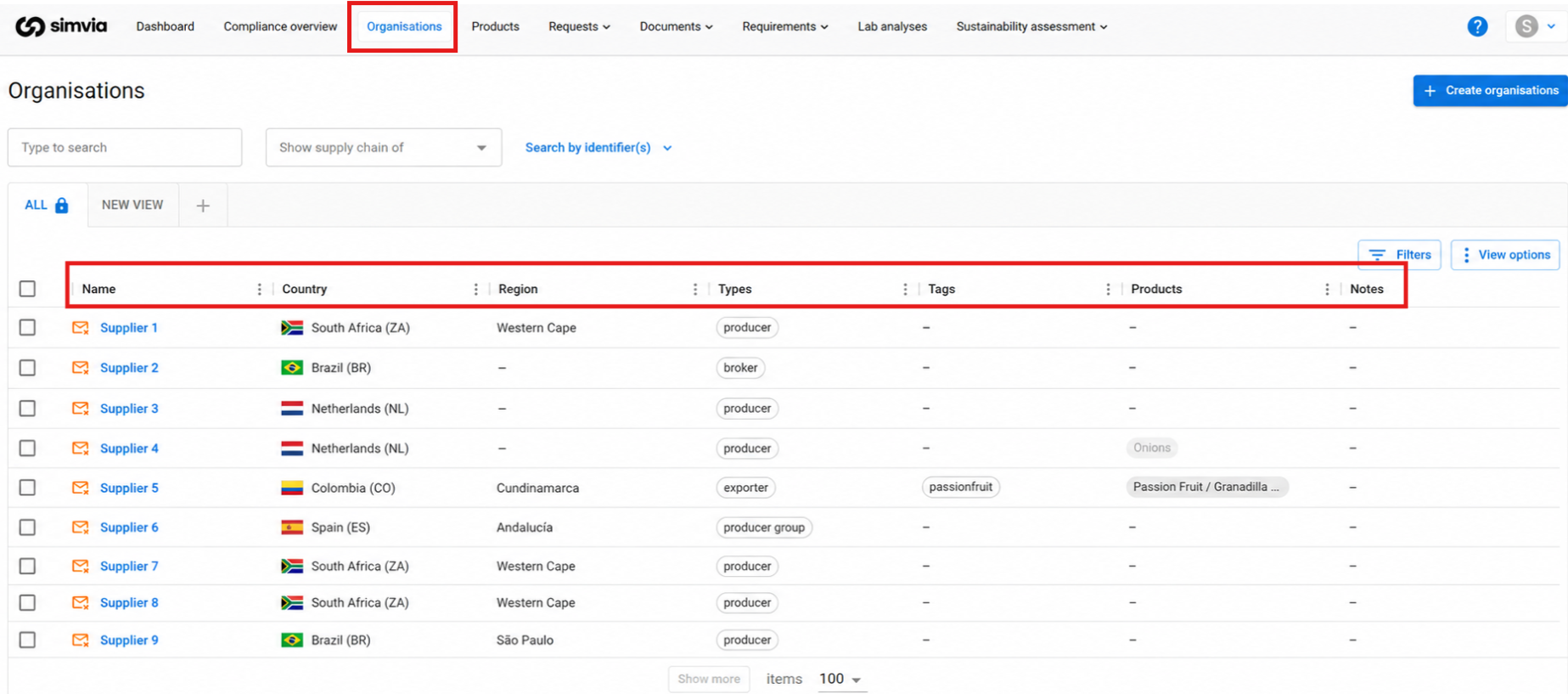
The Organisations page includes:
-
All suppliers and sub-suppliers in your account
-
Organisation names and locations
-
Identifiers such as GGN, QS ID, BRCGS Site Code, FSSC COID, or PlanetProof ID
-
Status indicators such as Blocked, Deactivated, or No contact
This overview helps you understand which organisations are part of your supply chain and what information is available for each one.
Viewing organisations
You can display organisations in two different ways.
Alphabetical view
This view shows organisations in a standard list format. The list can be sorted alphabetically to quickly find specific companies.
Supply chain view
To see relationships between organisations:
-
Click View options
-
Enable Show supply chain
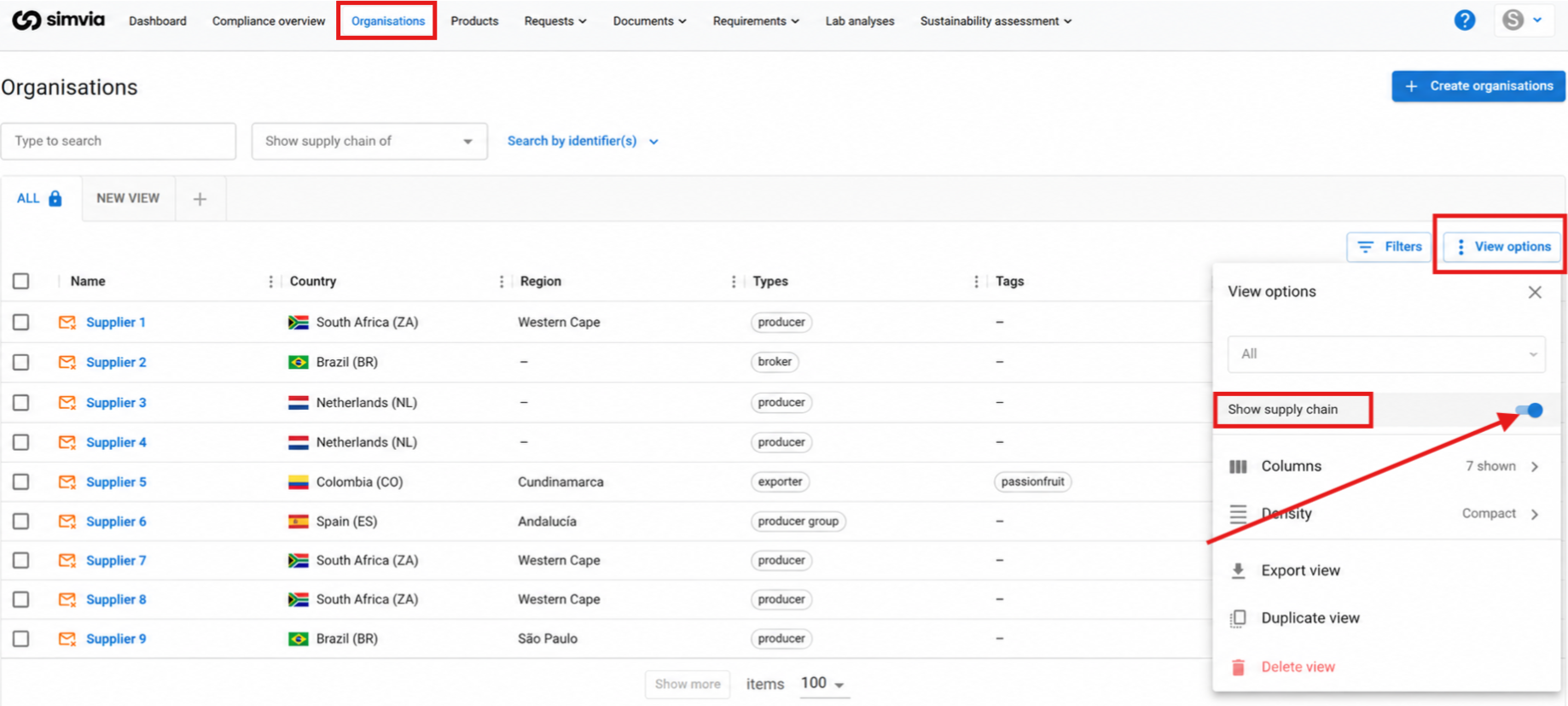
This view displays how organisations are connected as suppliers and sub-suppliers within your supply chain.
Status indicators
Some organisations may display additional status indicators.
-
No contact – No email address is available, so document requests cannot be sent
-
Blocked – Requirements are temporarily suspended for this organisation
-
Deactivated – The organisation is inactive and hidden unless inactive organisations are included in the view
These indicators help you quickly identify organisations that may require attention.