
Your public profile helps other organisations recognise your company in the Simvia network. Keeping your profile complete and up to date makes it easier for buyers and suppliers to connect with you and reduces unnecessary document requests.
You can access your public profile by going to Settings → Public profile, or from the profile menu by selecting Update public profile.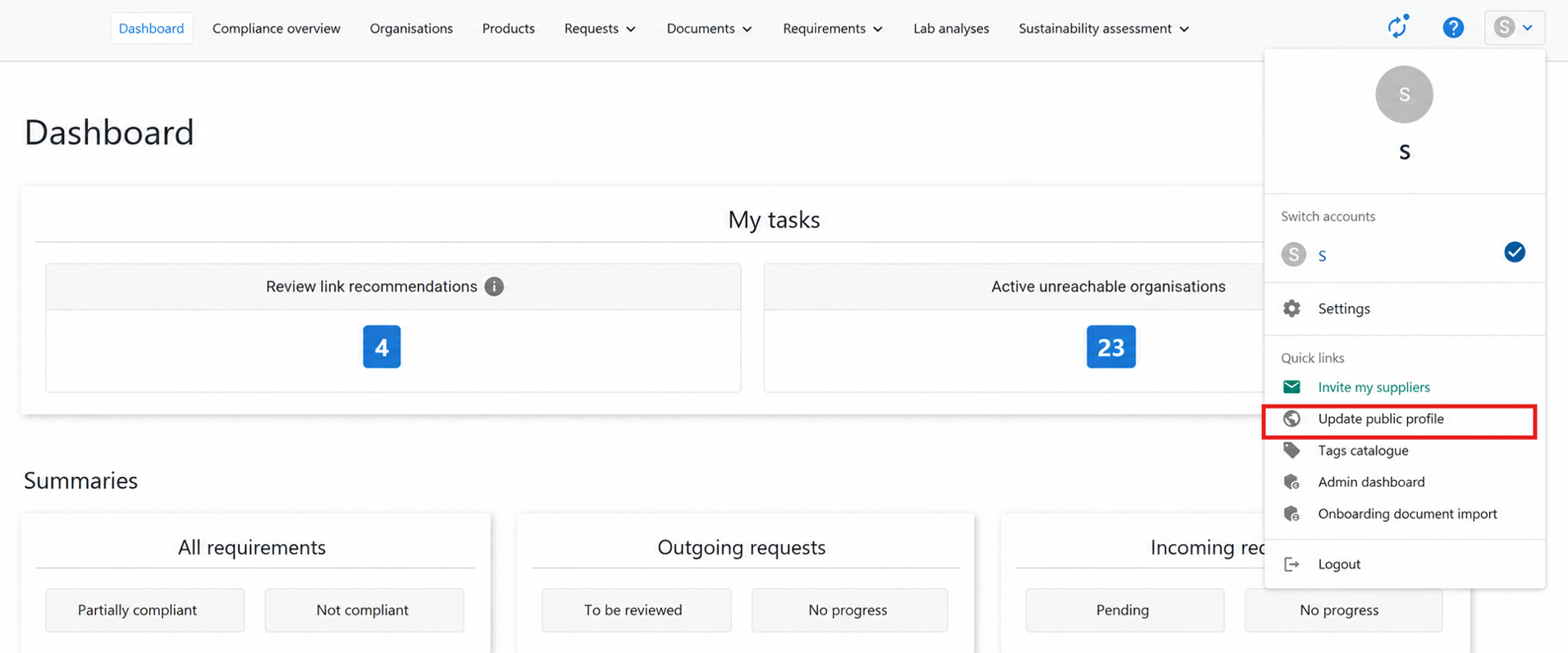
What is your public profile?
Your public profile is visible to organisations in the Simvia network that want to connect with you.
By maintaining accurate organisation details, other companies can:
-
Identify your organisation in the network
-
Connect and collaborate with you
-
Access shared information when available
Keeping your profile updated ensures other organisations always see your most recent company information.
Step 1: Enter your organisation details
Start by completing your organisation information.
-
Go to Account settings → Public profile
-
Enter your company details
-
Click Save
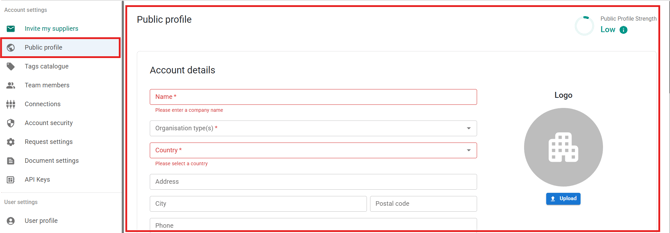
Make sure the information is accurate, as it may be shared automatically with organisations you connect with.
Step 2: Add unique identifiers
Unique identifiers help Simvia recognise matching organisations and recommend links with other companies.
-
Go to Account settings → Unique identifiers
-
Add the relevant identifiers
-
Click Save
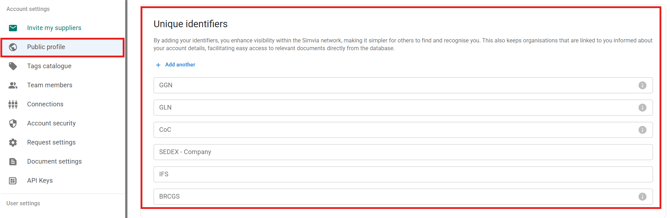
Examples of identifiers include:
-
GGN
-
SEDEX company or site codes
-
SIZA
-
IFS, BRCGS, QS, FSSC 22000
-
Organic or sustainability programme identifiers
Adding multiple identifiers improves matching accuracy and reduces duplicate organisations.