
You can use requirement rules to monitor compliance and gain insight — without triggering automatic document requests.
This is done by setting the target group to Inactive.
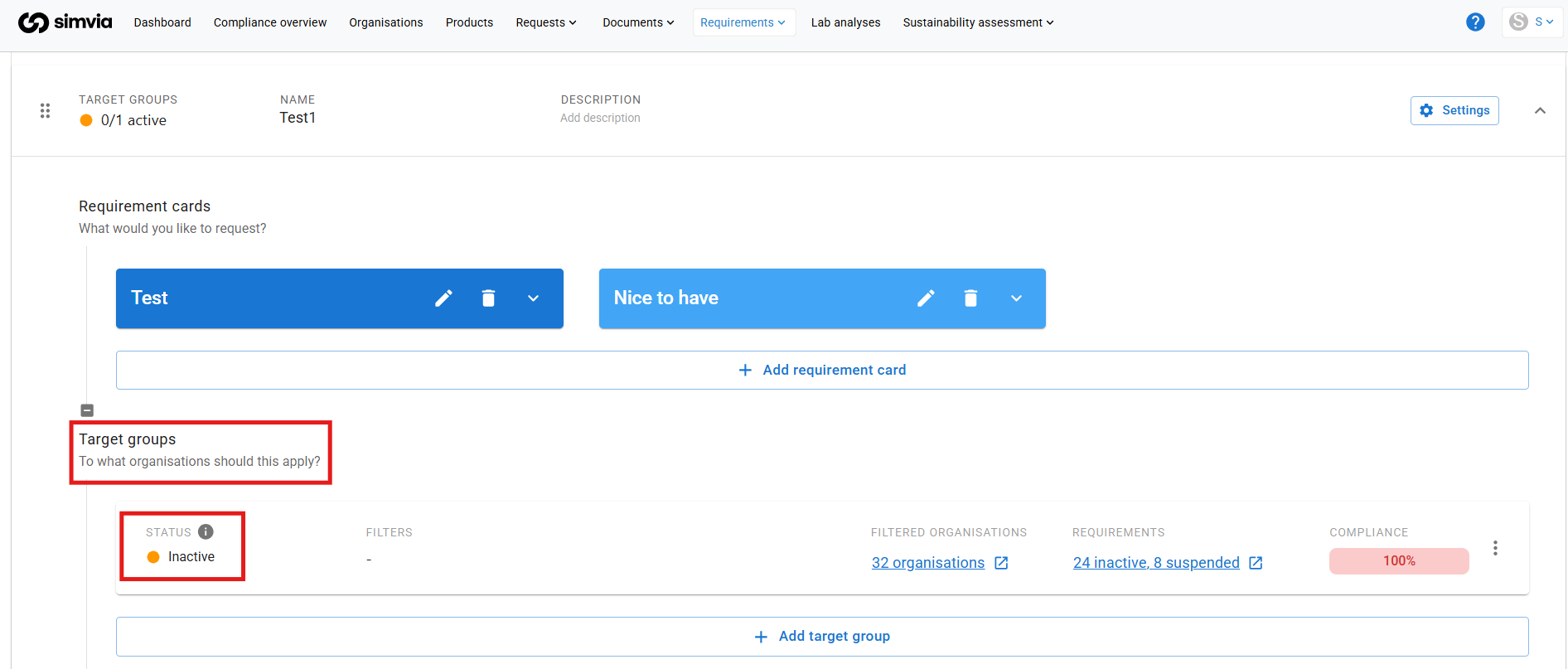
Active vs Inactive Target Groups
Active target groups
- Send automatic document requests
- Appear on the All requirements page by default
- Impact supplier communication
Inactive target groups
- Do not send automatic document requests
- Provide compliance insight only
- Contribute to dashboard graphs and reporting
- Are hidden from the All requirements page by default
You can still view inactive requirements by applying a filter for Inactive on the All requirements page.
How to Use Insight-Only Rules
If your goal is to:
- Monitor compliance internally
- Track supplier readiness
- View compliance percentages on the dashboard
- Analyse gaps before activating enforcement
Then set the target group to Inactive.
This allows you to evaluate compliance without contacting suppliers.
Activating or Deactivating a Target Group
To change the status:
- Open the requirement rule
- Click the three dots next to the target group
- Select Activate or Deactivate
If your rule contains multiple target groups, you can activate some while keeping others inactive.
Important Note
If you want dashboard insights without sending requests, the target group must be Inactive.
Suspending requirements is different — suspension only applies to active rules and temporarily stops requests. It does not serve as an insight-only setup.
Viewing Inactive Requirements in the Dashboard
If inactive requirements are not visible in your compliance graph, apply the filter to include inactive requirements in the dashboard view.
Using inactive target groups is a practical way to test requirement setups, monitor supplier readiness, or prepare for future enforcement — without triggering communication.