
If an organisation does not have contact details, document requests cannot be sent. This makes it important to regularly check for organisations that are not reachable.
You can recognise these organisations by the orange envelope icon with an “x” next to their name.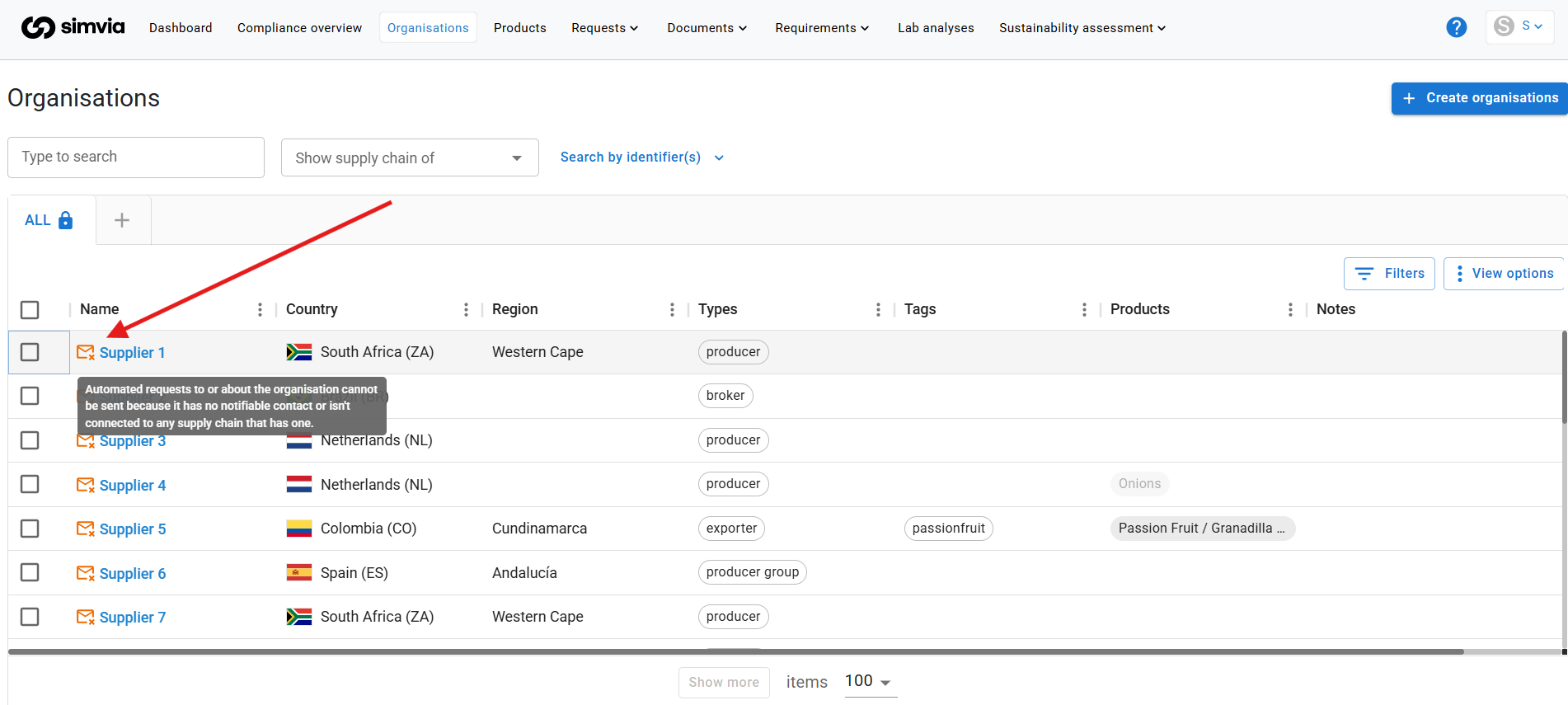
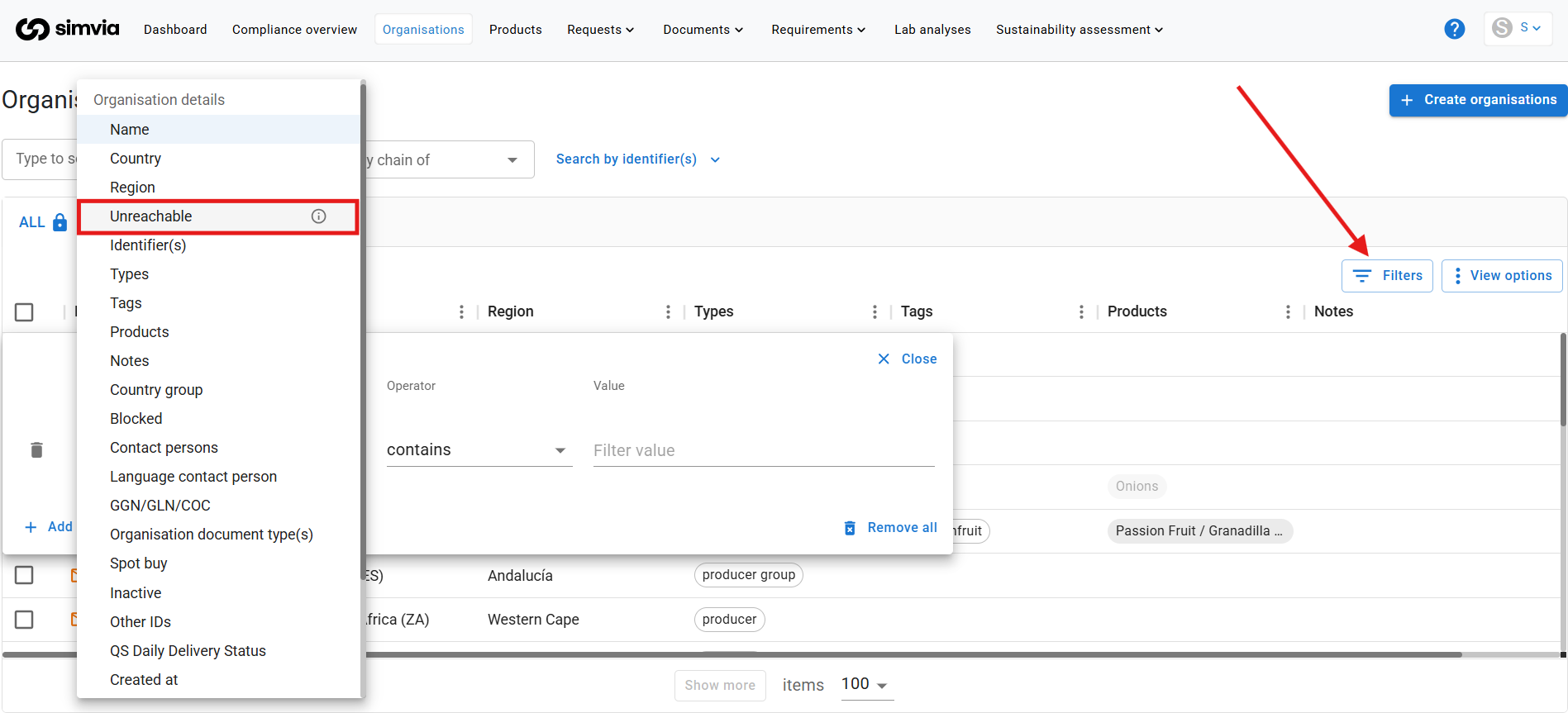
How to find unreachable organisations
To quickly identify them:
- Go to Organisations
- Open Filters
- Select the filter Unreachable
This will show all organisations that currently cannot receive requests.
Why does the “No contact” icon appear?
The icon appears when:
- The organisation has no contact email, or
- It is not linked to a supply chain that contains a contact person
Let’s look at the different scenarios.
Scenario 1: Direct supplier (no supply chain)
If you are working with direct suppliers only, the organisation must have its own contact details.
If you see the “No contact” icon:
- Open the organisation
- Add a valid email address
- Save the changes
Once a contact is added, requests can be sent.
Scenario 2: Supply chain with multiple layers
If you have a supply chain structure with sub-suppliers and traders, the logic works slightly differently.
If the direct supplier (the one you work with directly) has contact details, the system assumes the entire supply chain is reachable through that supplier.
This means:
- Sub-suppliers may not show the “No contact” icon
- Requests will still be sent via the first available contact
Sending requests to sub-suppliers directly
If you want requests to go directly to sub-suppliers instead of the direct supplier:
- Add contact details to the sub-supplier level as well
The request logic works bottom-up. This means:
- The system first checks for contact details at the lowest level in the supply chain
- If none are found, it moves upward until a contact is found
Best practice
- Regularly filter for Unreachable organisations
- Always add email addresses for direct suppliers
- Add contact details at sub-supplier level if you want direct communication
Keeping your contact information up to date ensures smooth document collection and avoids delays in compliance processes.
If you have questions, contact the Support team.