
Dear Simvia user,
We’ve just released brand new functionality for comparing specifications, improved our Tag Catalogue, and updated document types for PFAS and Heavy metal checks - here’s all you need to know.
Compare product specifications
Comparing product or ingredient specs side-by-side — instantly spot what changed, what's missing, and what matters.
Compare old vs. new versions of the same ingredient, or compare across suppliers. Specification review can take up to 60% of QA teams' daily workload, especially for processors. Stop wasting time reading documents and get the clarity you need to make confident decisions on allergens, nutritional changes, reformulation, and compliance — all in one view.
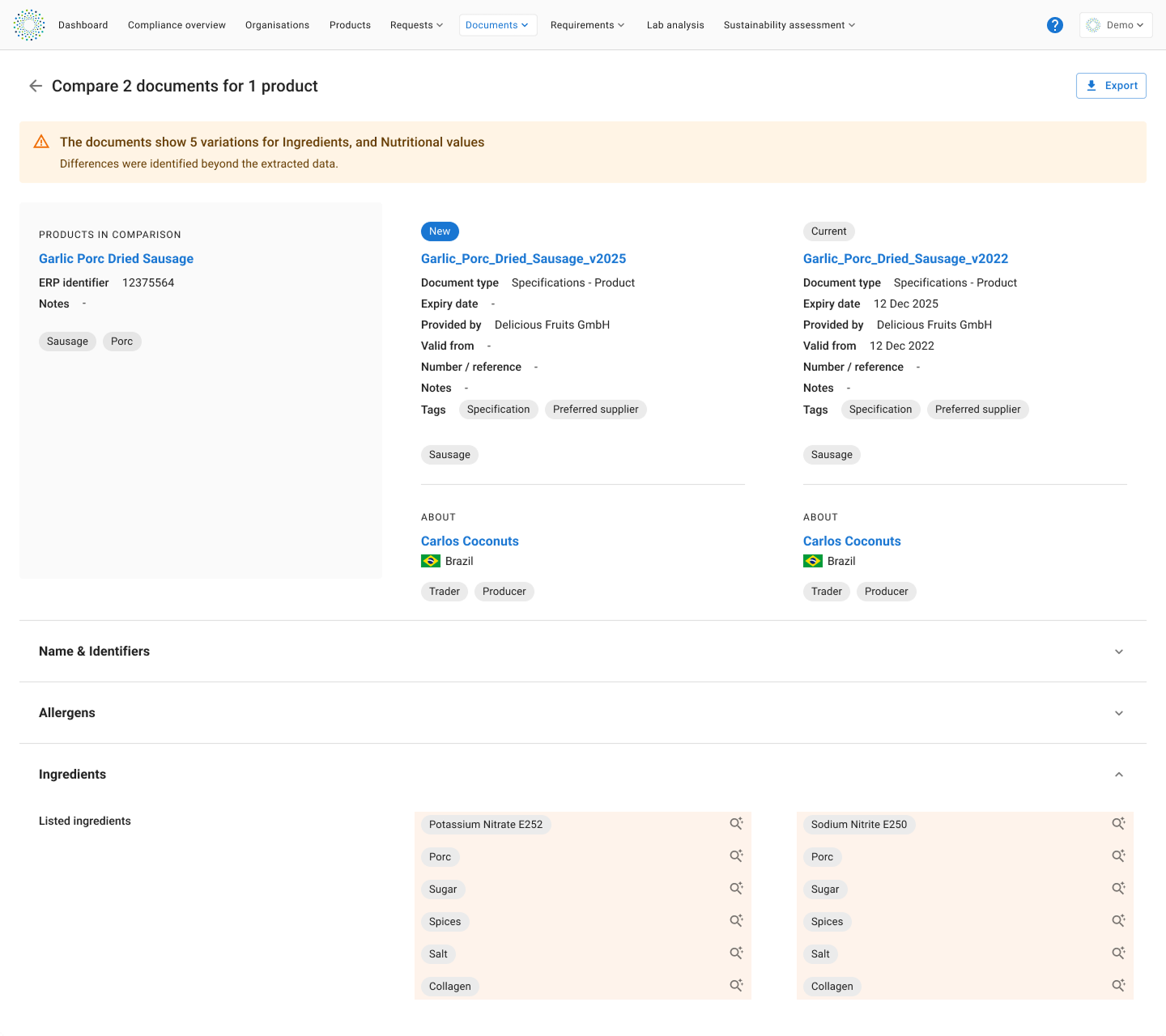
Compare nutritional values, allergens, shelf life etc. in one overview
What's available now?
- Comparison across suppliers, versions and similar ingredients from the documents overview page (up to 3 documents at a time)
- We highlight the differences — no more manual PDF hunting
- Export the comparison to a neat PDF to share with your R&D or Labelling colleagues
What's up next?
- Comparison of old vs. new specification versions during your document review workflow (available next week)
- Compare packaging specifications and technical datasheets.
- AI powered document search - chat with your documents
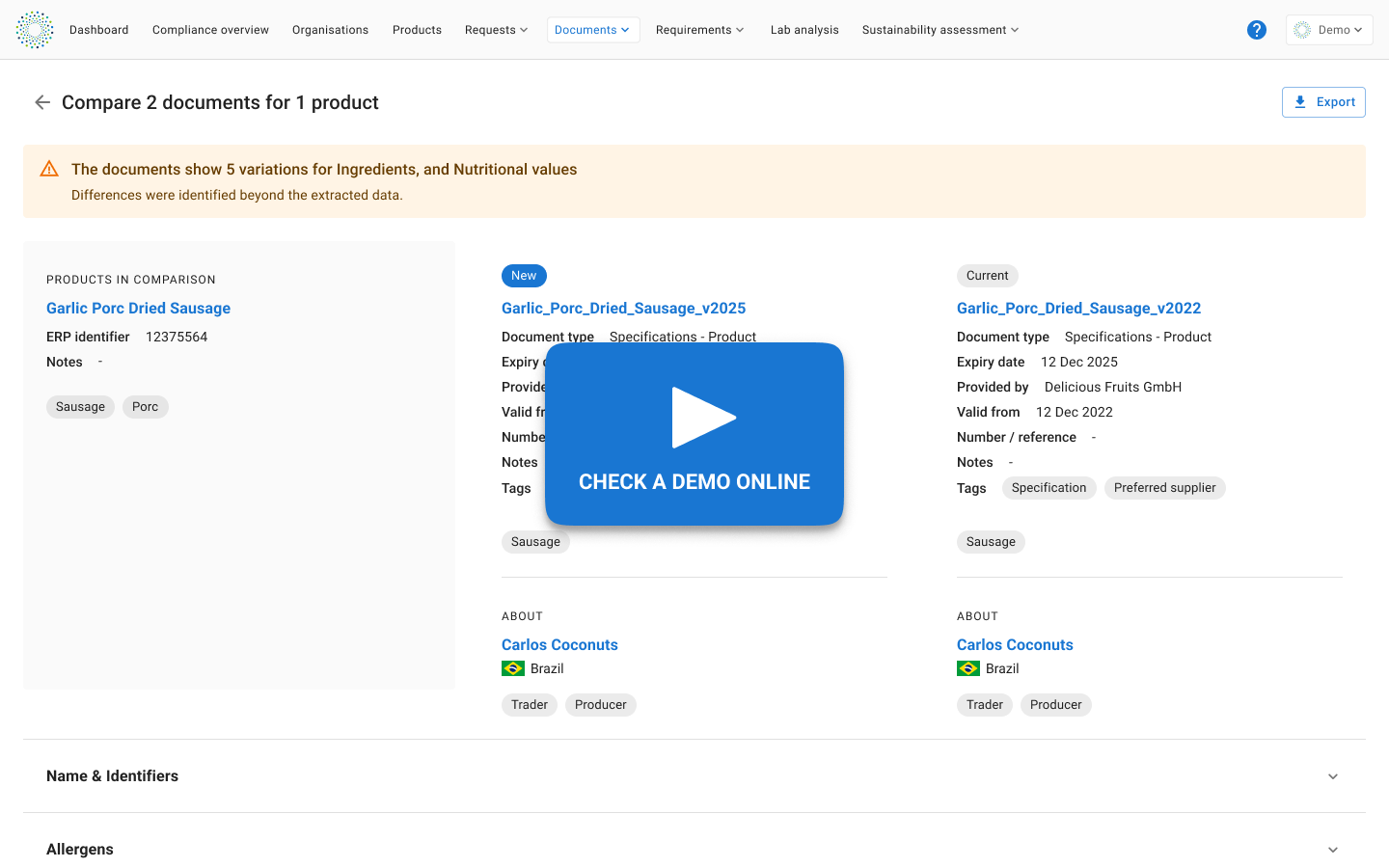
New document types for lab analyses (PFAS and Heavy metals checks)
We’ve updated several document types and their metadata to prepare for detailed substances checks within those documents. The following document types are updated, including some examples of substances. Find the full list here under Patch Notes from the 10.02.20262.
- Microbiology analysis, check for E. Coli amongst others.
- Residue analyses, check for sulphite amongst others.
- Heavy Metals analysis, and check for cadmium amongst others.
- Contaminants analysis, and check for PFAS amongst others.
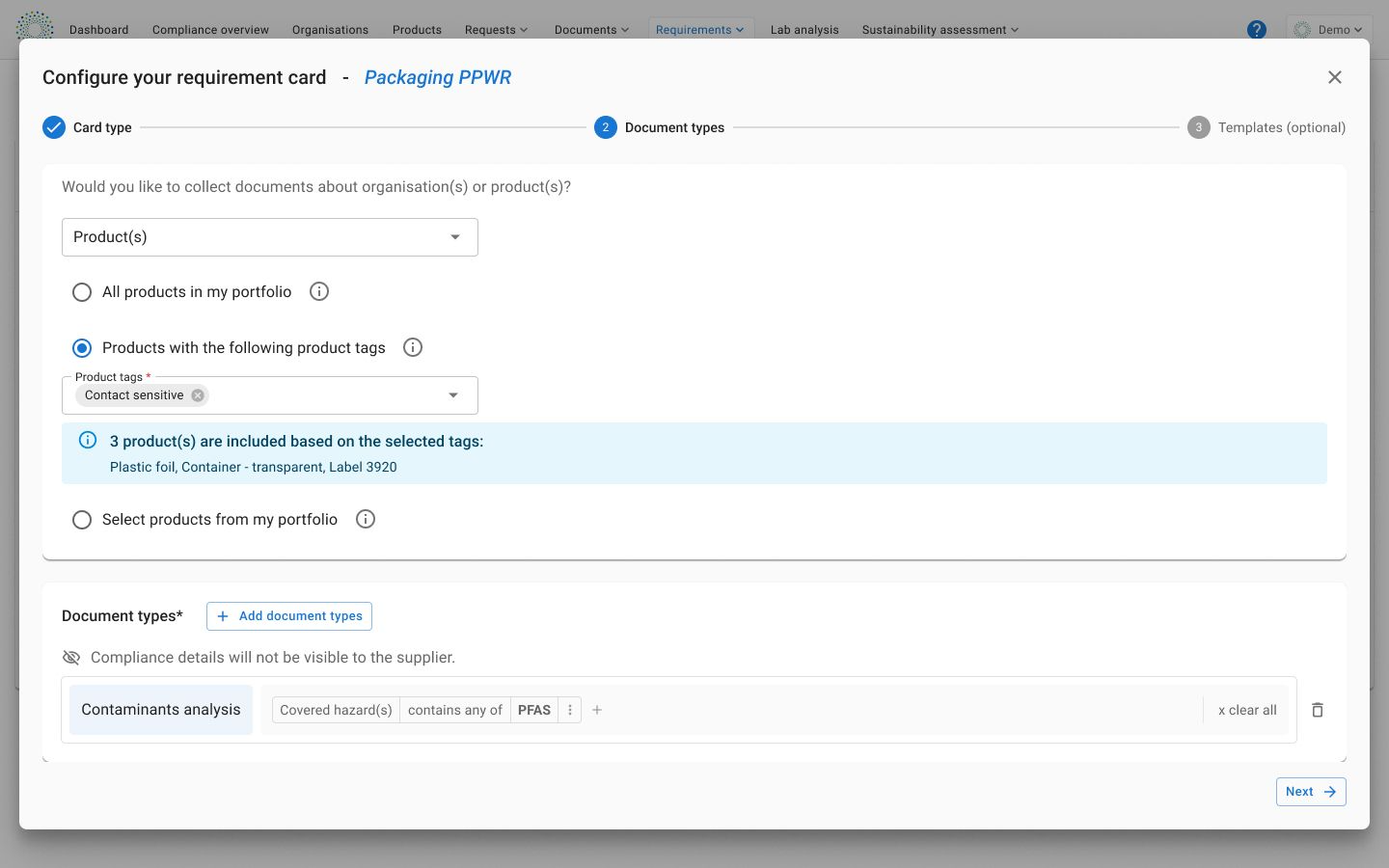
Setup a requirement rule for a Contaminants analysis can check for PFAS as a covered hazard
What's up next?
- Improved experience to include specific substances checks in document request to your suppliers.
Manage your product tags
You can now manage product tags just like your organisation tags, in the Tag Catalogue. Go to Settings → Tags catalogue, to edit, delete, or merge tags (by renaming) and keep your tags organised.
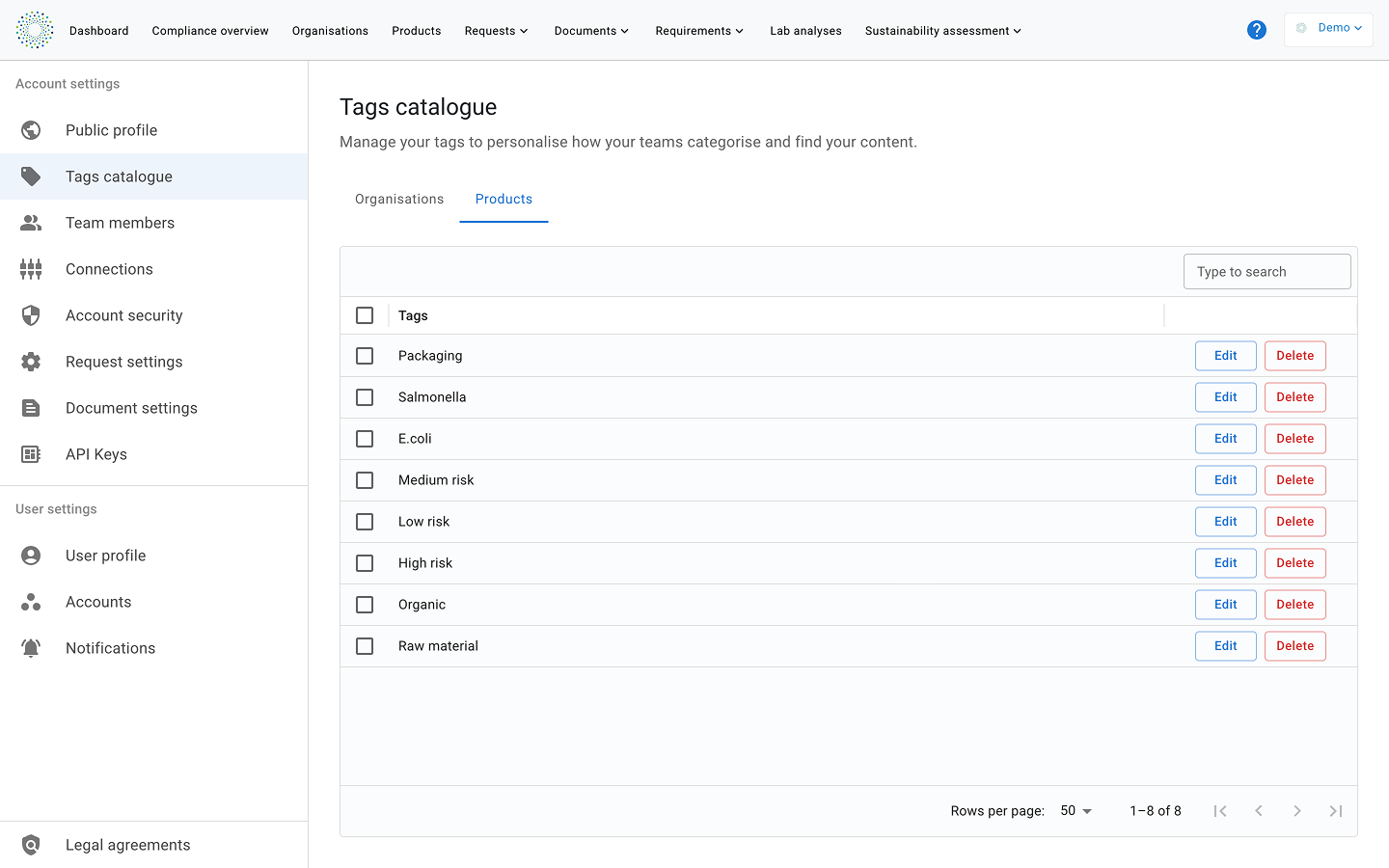
Manage your product tags (and organisation tags) in your Tags Catalogue
Stay connected
If you have any questions, our Customer Success team is here to support you.
📧 support@simvia.com or simply reply to this email.
Happy compliance ahead,
The Simvia Team